
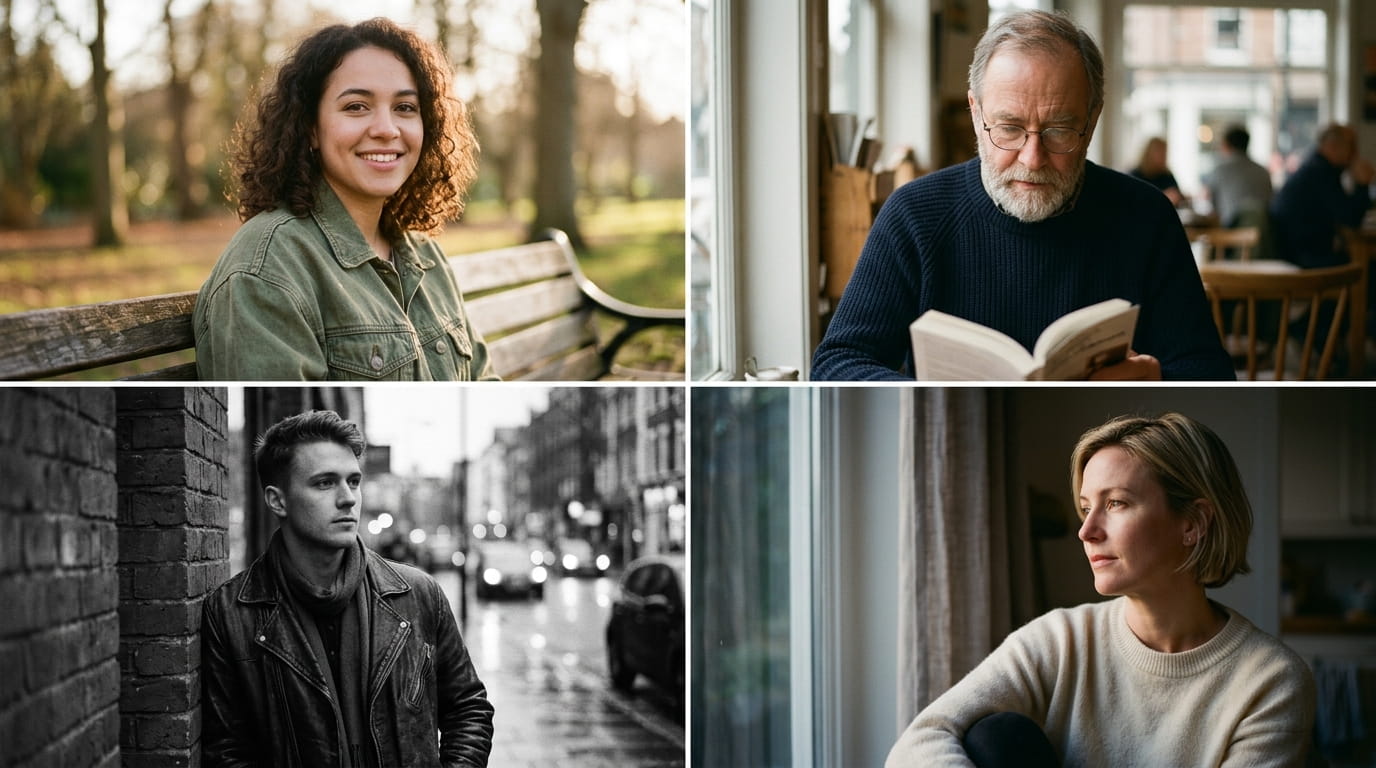
Digital photography is technically perfect and emotionally cold. Film photography is technically imperfect and emotionally alive. That grain, that slight colour shift in the shadows, that warmth bleeding into the highlights at golden hour, these are not flaws. They are the reasons film portraits feel like memories rather than records. For years, recreating that quality required shooting on actual 35mm stock, scanning the negatives, and spending hours in editing software chasing a look that analogue cameras produced naturally. Gemini AI compresses all of that into a single prompt. Upload your photo, describe the specific film look you want, and get a portrait that carries the tactile warmth of analogue photography at 8K digital quality. For portraits that go further into cinematic storytelling with dramatic lighting and colour, cinematic portrait Gemini prompts cover the high-contrast, high-drama end of this visual world.
These 12 prompts are built around specific film aesthetics, the exact grain structure, colour palette, and light quality that define each look. Golden hour warmth, expired film softness, Pacific Northwest desaturation, Italian neorealism grit. Each one produces a portrait with a distinct emotional temperature that digital photography simply does not generate on its own.
Why Film Look Portraits Feel Different From Every Other Style
Film portraits carry a physical quality that digital images replicate but never quite match naturally. The grain is organic because it was chemical. The colour rendering was dictated by the film stock, not a colour science algorithm. Golden hour on film looks different from golden hour on digital because film responds to the spectrum of light differently, compressing highlights softly and letting shadows retain colour information rather than going neutral.
What gives film look portraits their emotional weight:
- Organic grain structure that adds texture to skin and background simultaneously, unlike digital noise which appears random
- Highlight rolloff that softens bright areas rather than clipping them, preserving the glow in skin catching direct light
- Shadow colour that retains warmth or coolness depending on the stock, rather than falling to neutral black
- Slight colour shifts between skin tones and background that create visual separation without harsh contrast
- The compression of dynamic range that makes the whole image feel like it exists in the same tonal world
- A sense of time having passed, even in a photo taken today, because the aesthetic is associated with memory
Film look portraits pair exceptionally well with golden hour outdoor settings. For adventurous outdoor portrait work that captures movement and environment alongside the film aesthetic, adventure Gemini prompts cover that active, location-driven visual territory.
Choosing Photos That Respond Best to Film Treatment
Film aesthetics work best on photos that already have some directional light and a degree of natural imperfection. Heavily edited, over-smoothed, or HDR-processed source photos tend to resist the film treatment because the AI has to undo existing processing before it can apply a new aesthetic. Upload the most natural, least edited version of your photo for the best results.
Outdoor photos, window-lit portraits, and any shot with visible ambient light in the background respond particularly well. The film grain overlays most convincingly when there is existing texture in the scene, foliage, brick, fabric, or skin detail. Plain studio-white backgrounds can look slightly artificial with heavy grain applied. The 8K output preserves the fine grain structure that lower resolution outputs blur into general softness, which is what makes these portraits feel genuinely analogue rather than filtered.
For photos taken indoors in low light, the vintage and expired film prompts in this list handle those conditions better than the golden hour setups. Match the prompt to the light quality already present in your source photo rather than fighting against it.
12 Gemini AI Prompts for Film Look Portraits
Golden Hour and Warm Film
Prompt 1: Kodak Portra Golden Hour Transform this photo into a warm film portrait with the look of Kodak Portra 400 shot at golden hour. Skin tones rich and slightly warm, shadows retaining amber colour rather than going neutral. Soft highlight rolloff on areas catching direct light. Fine grain visible throughout. Analogue film portrait aesthetic, 8K quality.

Prompt 2: Late Afternoon 35mm Create a portrait with the quality of 35mm film shot in late afternoon sun. Long directional shadows, warm orange and gold tones in the highlights, slight underexposure in the shadow areas creating rich dark tones. Organic grain structure. Summer film photography aesthetic, 8K quality.
Prompt 3: Overexposed Film Bloom Generate a portrait with the dreamy overexposed film look. Highlights blooming softly around the subject, skin tones pale and luminous, warm haze across the whole image. Fine grain visible in the mid-tones. The quality of a slightly overexposed roll of Fuji 200 in bright afternoon light, 8K quality.
Warm golden hour film portraits work beautifully as travel and location content. For complete travel portrait series that carry this same warm, sun-lit quality, travel photo Gemini prompts place subjects in specific location contexts with complementary lighting aesthetics.
Moody and Desaturated
Prompt 4: Pacific Northwest Film Transform this into a moody desaturated film portrait with Pacific Northwest aesthetics. Cool shadows with slight green or teal shift, muted skin tones, overcast ambient light quality. Fine grain. The colour palette of a Kodak Tri-X or heavily desaturated colour stock in soft grey light. Quiet, introspective mood, 8K quality.
Prompt 5: Cross-Processed Drama Create a portrait with a cross-processed film aesthetic. Exaggerated colour shifts, greens in the shadows, magenta or yellow in the highlights, increased contrast. Skin tones slightly surreal but not artificial. The unpredictable colour quality of slide film developed in negative chemistry. Editorial film photography, 8K quality.
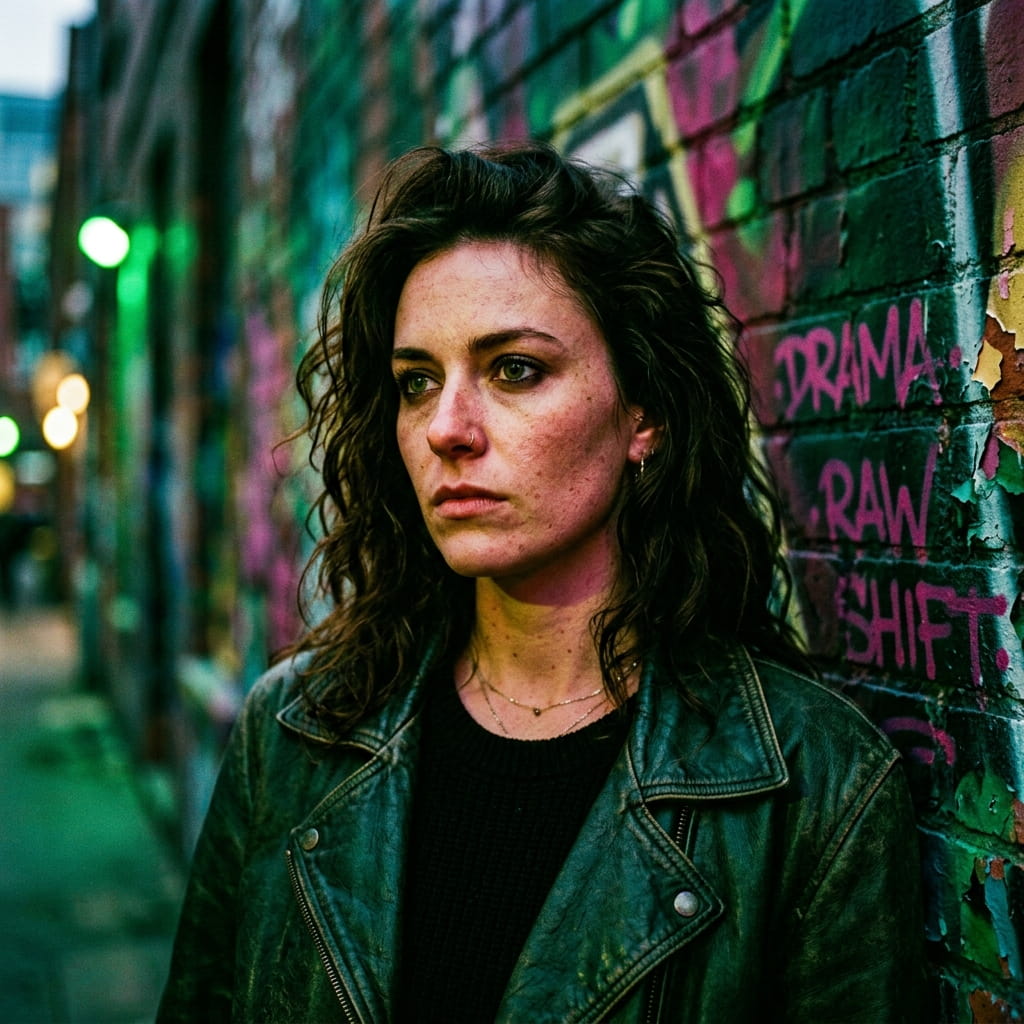
Prompt 6: Underexposed Cinematic Generate a dark, underexposed film portrait with cinematic mood. Faces partially in shadow, background falling to near-black, only the light-catching parts of the face and shoulders visible. Rich grain in the dark areas. The quality of pushed Ilford HP5 or dark-rated colour film. Brooding portrait aesthetic, 8K quality.
Vintage and Expired Film
Prompt 7: Expired Film Colour Shift Transform this photo into a portrait with expired film colour characteristics. Colour shift toward green or magenta in the mid-tones, reduced saturation, soft focus quality in the background, grain clumping slightly in the shadows. The unpredictable warmth of film past its use-by date. Nostalgic analogue aesthetic, 8K quality.
Prompt 8: 1970s Warm Analogue Create a portrait with the warm, slightly faded quality of 1970s analogue photography. Lifted blacks so shadows never go fully dark, warm amber cast across the whole image, slightly reduced contrast. Skin tones honeyed and warm. Vintage portrait photography quality from the era before digital sharpness, 8K detail.

Prompt 9: Lomography Vignette Generate a portrait with the Lomography film camera aesthetic. Strong natural vignette darkening the corners, saturated and unpredictable colour in the centre, grain structure slightly chunky and visible. Subject sharp in the centre, softening toward the edges. Lomography film portrait character, 8K quality.
Vintage and expired film aesthetics connect naturally to nostalgic portrait photography more broadly. For a complete collection of retro and nostalgic portrait styles that extend beyond the film look specifically, nostalgic retro Gemini AI prompts cover that full visual territory.
Black and White Film
Prompt 10: Pushed Tri-X Street Transform this into a black and white film portrait with the pushed Ilford HP5 or Kodak Tri-X look. High contrast, deep blacks, bright highlights with a slight bloom, chunky grain structure throughout. The documentary quality of street photography shot on fast black and white film. 8K quality.
Prompt 11: Fine Grain Silver Portrait Create a fine art black and white film portrait with the quality of Kodak T-Max 100 or Ilford Delta 100. Extremely fine grain, smooth tonal gradation from deep shadow to bright highlight, rich mid-tones. The quality of a carefully exposed and developed slow film stock. Archival portrait photography, 8K detail.
Prompt 12: Infrared Film Effect Generate a portrait with an infrared film aesthetic. Skin tones rendered bright and luminous, foliage or background elements glowing white, deep dark sky if visible, dreamy halation around bright edges. The otherworldly quality of Kodak High Speed Infrared film, 8K quality.
Refining Film Look Results With Follow-Up Prompts
Gemini AI responds well to specific technical adjustments when the first result is close but not quite right for the film look you are targeting.
- If the grain looks too digital and random, add “increase organic grain structure with larger clumping in the shadow areas”
- If the colours are too saturated for a vintage look, specify “lift the blacks and reduce colour saturation while retaining warmth in the highlights”
- If the highlight rolloff is too harsh, ask for “softer highlight compression with a gentle bloom on bright skin areas”
- For expired film colour shifts, be specific: “add a green cast to the shadow areas and a slight magenta shift in the mid-tones”
- If the overall result looks too clean for the film aesthetic, request “reduce apparent sharpness slightly and add subtle halation around bright edges”
That grain advice tracks the real film. Ilford’s own technical data for HP5 Plus confirms the stock is rated at ISO 400 but can be pushed to EI 3200 with extended development, exactly the territory that produces the chunky, high-contrast grain Prompt 10 is built around.
Building a Film Look Portrait Series Across Seasons
The most compelling film look portrait collections are built across different seasonal light conditions rather than shooting everything in a single session. Each season produces different base light that responds differently to each film stock treatment.
- Summer golden hour with warm Kodak Portra treatment for the richest skin tones
- Autumn overcast light with the Pacific Northwest desaturated treatment for moody seasonal portraits
- Winter window light with pushed black and white film prompts for high-contrast indoor portraits
- Spring soft light with the overexposed bloom treatment for bright, luminous seasonal portraits
- Night or low light with the underexposed cinematic prompt for the most dramatic grain results
Why Film Look Portraits Connect More Deeply Than Digital
People respond to film portraits differently because the aesthetic carries an emotional association that digital photography has not had enough time to build. Film looks like the past, even when it was taken yesterday. That association with memory and the passage of time adds emotional gravity to any portrait that carries it. A film look portrait of your child today will read like a cherished memory in ten years in a way that a clean digital photo simply will not.
The 8K output ensures these portraits hold the fine grain detail that makes the analogue aesthetic convincing rather than approximate. Printed large, a well-executed film look portrait from Gemini AI is indistinguishable from a photograph developed in an actual darkroom. For portraits that carry the same depth and emotional permanence in the black and white tradition specifically, black and white artistic Gemini prompts extend this visual world into pure monochrome territory.
Where Film Look Portraits Perform Best Online
Film aesthetics occupy a unique space in social media because they signal a specific visual taste that attracts a loyal, engaged audience rather than broad passive viewership.
- Instagram photography communities respond strongly to authentic film grain content, particularly when the prompt and stock name are shared in the caption
- Pinterest boards organized by film stock name attract both photography enthusiasts and content creators looking for aesthetic inspiration
- Before-and-after transformation posts showing digital source photo versus film-treated result consistently drive saves and shares
- Google Discover responds well to visually distinctive portrait content, and film look portraits stand out clearly against the sea of clean digital photography
- Printing communities and photography forums engage deeply with technically specific film look content where the stock name and treatment are identified
Start With the Film Stock That Matches Your Light
Choose your first prompt based on the light quality in your source photo rather than the aesthetic you prefer in the abstract. Warm afternoon sun calls for Kodak Portra or the 1970s warm analogue treatment. Soft overcast light suits the Pacific Northwest desaturated look. Harsh midday contrast works well with pushed black and white film stocks. Indoor low light responds best to the expired or underexposed cinematic prompts. Match the existing light to the stock and the result will feel inevitable rather than applied. That is exactly what shooting on film actually felt like, and it is what makes these portraits feel real.
Kodak’s own data on Portra 400 backs up why the golden hour prompts hold up so well: the film has roughly 2 stops of underexposure and 5+ stops of overexposure latitude, with a long, straight highlight response that is exactly the soft rolloff Kodak’s technical data sheet describes and Prompt 1 is built to recreate.
Frequently Asked Questions
Do I need to know anything about film photography to use these prompts?
No. The prompts contain all the technical direction Gemini AI needs to produce the correct result. Film stock names like Kodak Portra or Ilford HP5 are included because they carry specific aesthetic associations the AI understands. You do not need to know the technical details behind each stock to get strong results from these prompts.
Can film look prompts work on smartphone photos?
Yes, and often very effectively. Smartphone photos are typically over-sharpened and digitally processed, which makes the contrast between the source image and the film-treated result particularly dramatic. The grain and colour shifts are especially visible on the clean digital base that smartphones produce.
Which film look prompt works best for portrait series on Instagram?
The Kodak Portra Golden Hour and 1970s Warm Analogue prompts produce the most consistent and widely appealing results for Instagram portrait content. For photography communities specifically, the pushed Tri-X street portrait and Pacific Northwest desaturated prompts generate stronger engagement from audiences with film photography knowledge.
Can I combine a film look with a specific portrait lighting setup?
Yes. Add the lighting description to the film look prompt. For example, combine Prompt 1 with Rembrandt lighting language to get a warm Kodak Portra portrait with classic studio lighting. The AI handles both the colour treatment and the lighting direction simultaneously when both are specified in the same prompt.
How do I get the grain to show at smaller image sizes?
Request “visible grain at web resolution” in your prompt if the grain is disappearing when the image is resized for digital use. Alternatively, when exporting or saving the AI output, avoid heavy compression settings that smooth fine grain detail. For print use, the 8K output retains grain at all standard print sizes without any additional adjustment.