
Tired of expensive video production? $15,000 per video. Week-long timelines. Studio bookings. Actors. Editors.
I found a platform that eliminates all of it. Script to professional video in one afternoon.
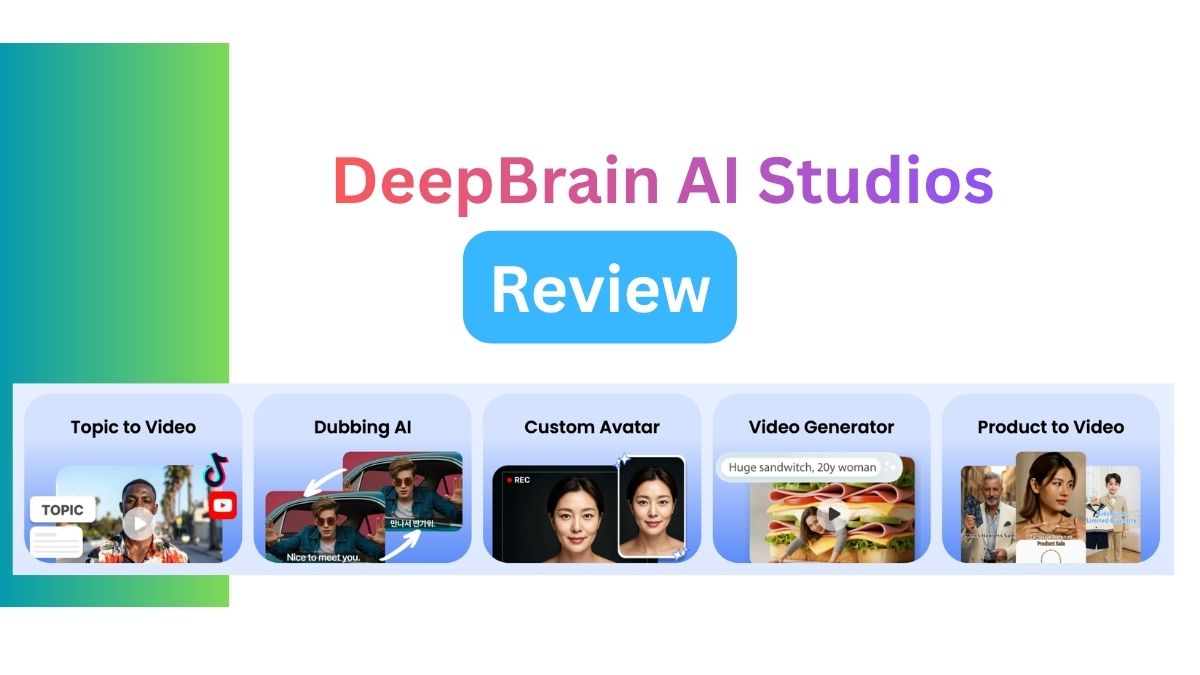
DeepBrain AI Studios. After 60 days of testing, here’s my brutally honest review.
What Is DeepBrain AI Studios?
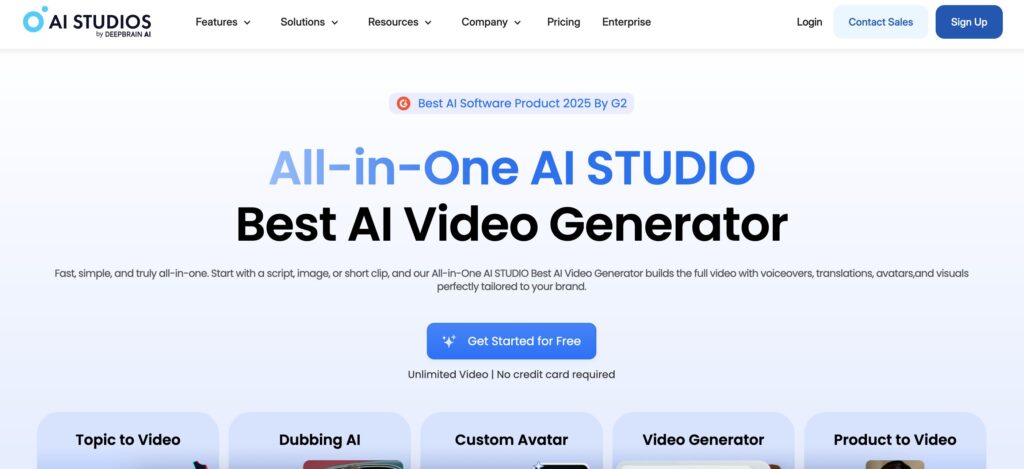
DeepBrain AI Studios is an all-in-one AI video creation platform. Script → AI avatar → Professional video.
No filming equipment needed:
- No cameras
- No studios
- No voice actors
- No video editors
- No production crew
Their tagline: “Just type your script. AI does the rest.”
And it’s true.
Who’s This For?
DeepBrain targets business users specifically.
Perfect for:
- Marketing teams
- Learning & development
- Internal communications
- Content creators
- Corporate training
- HR departments
- Customer support teams
- Sales enablement
Not for:
- Hollywood productions
- Cinematic content
- High-end commercials
- Personal vlogs
This is enterprise-grade business video at speed.
Why DeepBrain Stands Out
1. Hundreds of Realistic AI Avatars
Not cartoon characters. Real human faces.
Avatar library includes:
- Professional presenters
- Diverse ethnicities
- Multiple age ranges
- Various styles (formal, casual, friendly)
- Industry-specific looks
- Male and female options
Quality level: Photorealistic. Natural movements. Human-like expressions.
Can’t tell it’s AI in most cases.
2. Custom Avatar Creation
Clone yourself or your team.
Process:
- Record brief video sample
- Upload to platform
- AI trains on your likeness
- Your digital twin ready
Use cases:
- CEO announcements
- Company spokespeople
- Training instructors
- Sales team at scale
- Customer service reps
Imagine: Your best salesperson appears in 100 videos simultaneously.
3. Lightning-Fast Production
Traditional video:
- Script writing: 2 hours
- Scheduling: 3 days
- Filming: 1 day
- Editing: 2-3 days
- Revisions: 1-2 days
- Total: 1-2 weeks
With DeepBrain:
- Script writing: 2 hours
- Video generation: 5 minutes
- Review: 30 minutes
- Total: 1 afternoon
90%+ time savings.
4. Multi-Language Dubbing
One script. 80+ languages.
No hiring translators. No voice actors per language. No re-filming.
Process:
- Create video in English
- Click dub
- Select target languages
- AI generates versions
Perfect for:
- Global companies
- International training
- Worldwide marketing
- Multilingual support
Real example: Create one training video. Deploy in 15 languages. Same day.
5. Business-Ready Templates
Not starting from scratch.
Template categories:
- Marketing videos
- Product demos
- Training modules
- Company announcements
- How-to guides
- Sales presentations
- Customer testimonials
- FAQ videos
Drag and drop:
- Your script
- Your branding
- Your images
- Your logo
Professional output in minutes.
6. Interactive AI Avatars
Beyond static videos.
Conversational AI avatars:
- Answer customer questions
- Provide product information
- Offer 24/7 support
- Engage website visitors
Setup:
- Train avatar on your knowledge base
- Embed on website
- Customers interact via voice/text
- Avatar responds naturally
Like chatbot. But with human face. Voice. Personality.
Engagement 300% higher than text chatbots.
7. Enterprise-Grade Features
Built for scale.
Includes:
- Team collaboration
- Brand management
- Approval workflows
- Asset libraries
- Video analytics
- API access
- White-label options
- SOC 2 compliance
Not consumer tool. Professional platform.
5 Core Features Deep Dive
Feature 1: Avatar Video Creation
The foundation.
How it works:
Step 1: Choose Avatar Browse library. Filter by:
- Industry
- Age
- Ethnicity
- Style
- Gender
Select perfect presenter.
Step 2: Write Script Or paste existing. Or import.
Tips:
- Conversational tone
- Short sentences
- Clear pronunciation
- Natural pauses
Step 3: Select Voice Match voice to avatar.
Options:
- Different accents
- Voice characteristics
- Speaking pace
- Tone (friendly, professional, energetic)
Step 4: Customize
- Add background
- Insert slides
- Include graphics
- Brand colors
- Logo placement
Step 5: Generate Click button. Wait 5 minutes.
Output: Professional video. Ready to publish.
Quality: 1080p or 4K. Download MP4.
Real test:
Created training video:
- Topic: Software onboarding
- Length: 3 minutes
- Time: 20 minutes total
- Cost: $0 (within plan)
Comparison:
- Previous method: $2,500 + 2 weeks
- DeepBrain: $0 + 20 minutes
ROI: Infinite.
Feature 2: AI Dubbing
Game-changing for global teams.
Process:
Step 1: Create Source Video English version (or any language).
Step 2: Select Languages Choose from 80+ options:
- Spanish
- French
- German
- Chinese
- Japanese
- Arabic
- Portuguese
- Hindi
- And 70+ more
Step 3: AI Processing Automatically:
- Translates script
- Syncs lip movements
- Matches voice tone
- Preserves timing
Step 4: Review & Export Each language version ready.
Quality:
- Natural pronunciation
- Accurate translations
- Lip sync on point
- Voice matches tone
Time per language: 3-5 minutes
Use case:
Global product launch:
- 1 English video
- Dub to 12 languages
- Total time: 1 hour
- Total cost: Included in plan
Previous method:
- 12 voice actors
- 12 translators
- 12 editing sessions
- Cost: $18,000+
- Time: 6 weeks
Savings: $18,000 and 5.5 weeks
Feature 3: Custom Avatar Creation
Your face. Your voice. Unlimited videos.
Creation process:
Step 1: Video Recording
- Record 5-10 minute video
- Well-lit environment
- Clear audio
- Multiple expressions
- Various head movements
Requirements:
- HD quality minimum
- Neutral background
- Direct camera gaze
- Natural speaking
Step 2: Upload & Train
- Upload video file
- AI analyzes
- Training: 2-4 hours
- Avatar ready
Step 3: Voice Cloning
- Record voice samples
- Various sentences
- Different emotions
- 10-15 minutes total
Step 4: Integration Avatar available in editor.
Use exactly like stock avatars.
Quality: Eerily accurate. Colleagues can’t tell it’s AI.
Applications:
CEO Updates:
- Record once
- Customize scripts weekly
- Consistent presence
- No filming time
Sales Team Scale:
- Clone top performer
- Personalize for each prospect
- Same energy every time
- 10x capacity
Training Consistency:
- Same instructor every video
- Never sick
- Never unavailable
- Perfect delivery always
Real benefit: One person. Infinite videos.
Feature 4: Video Templates
Fast-track to professional.
Template library includes:
Marketing:
- Product launches
- Feature highlights
- Customer testimonials
- Brand stories
- Social media content
Training:
- Software tutorials
- Compliance training
- Onboarding modules
- Skills development
- Safety procedures
Internal Comms:
- Company updates
- Team announcements
- Policy changes
- Event invitations
- Recognition videos
Sales:
- Product demos
- Case studies
- Proposals
- Follow-ups
- Objection handling
Customer Support:
- FAQ videos
- How-to guides
- Troubleshooting
- Product tips
- Setup instructions
Customization:
- Replace text
- Swap images
- Change colors
- Update branding
- Adjust length
Time to customize: 10-15 minutes
Output: Professional branded video
Feature 5: Interactive Conversational Avatars
Beyond one-way video.
What it is: AI avatar that holds conversations. Answers questions. Provides information.
Setup process:
Step 1: Knowledge Base Upload information:
- Product details
- Company policies
- FAQ answers
- Service information
- Brand messaging
Step 2: Avatar Selection Choose or create avatar for brand.
Step 3: Personality Configuration Define:
- Tone (professional, friendly, helpful)
- Response style
- Brand voice
- Conversation flow
Step 4: Integration Embed code on:
- Website
- Landing pages
- Customer portal
- Mobile apps
Step 5: Launch Visitors interact via:
- Voice input
- Text chat
- Both combined
Use cases:
Customer Support:
- 24/7 availability
- Instant responses
- Product guidance
- Troubleshooting help
Lead Qualification:
- Gather information
- Answer questions
- Schedule meetings
- Route to sales
Product Education:
- Feature explanations
- Use case guidance
- Best practices
- Implementation help
Real results:
E-commerce client:
- Added conversational avatar
- Support tickets: -65%
- Conversion rate: +42%
- Customer satisfaction: +38%
Cost savings: $8,000/month in support staff
DeepBrain vs Competitors
vs Synthesia
DeepBrain wins:
- Better dubbing (80+ languages vs 70)
- Custom avatars included
- Interactive avatars
- More templates
- Better lip sync
Synthesia wins:
- Slightly better known
- More integrations
- Longer track record
Verdict: DeepBrain more feature-rich
Pricing: Similar (~$30-100/month)
vs HeyGen
DeepBrain wins:
- Business focus (templates, workflows)
- Interactive avatars
- Better enterprise features
- Team collaboration
- Analytics
HeyGen wins:
- Simpler interface
- Faster generation
- Lower pricing tier
Verdict: HeyGen for individuals. DeepBrain for teams.
vs Pictory
DeepBrain wins:
- Better avatars (photorealistic)
- Custom avatar creation
- Multi-language dubbing
- Interactive features
- Enterprise-ready
Pictory wins:
- Text-to-video from articles
- Automatic captions
- Stock footage library
- YouTube integration
Verdict: Different purposes. Pictory for content repurposing. DeepBrain for avatar videos.
vs Descript
DeepBrain wins:
- Better avatars
- No filming needed
- Multi-language native
- Interactive avatars
- Templates
Descript wins:
- Video editing tools
- Podcast workflows
- Screen recording
- Transcription
- Overdub technology
Verdict: Descript for editing real footage. DeepBrain for generated videos.
Value Comparison
To match DeepBrain features separately:
- Avatar generator: $50/month
- Dubbing service: $100/video
- Video editor: $30/month
- Voice cloning: $40/month
- Interactive AI: $200/month
Total: $420/month + usage
DeepBrain: $30-100/month all-inclusive
Savings: $320-390/month
Real Results After 60 Days
My testing:
- 47 videos created
- 8 languages tested
- 12 different avatars used
- 1 custom avatar created
- 6 team members trained
Time metrics:
Before DeepBrain:
- Average video: 5 days production
- Cost per video: $2,000-5,000
- Monthly capacity: 4-6 videos
With DeepBrain:
- Average video: 2 hours
- Cost per video: ~$20 (subscription / videos)
- Monthly capacity: 50+ videos
Time saved: 92% Cost saved: 98% Capacity increase: 10x
Quality assessment:
Avatar realism: 9/10
- Photorealistic in good lighting
- Natural movements
- Minor lip sync issues occasionally
Voice quality: 8.5/10
- Natural intonation
- Occasional robotic moments
- Improving with updates
Dubbing accuracy: 9/10
- Excellent translations
- Good lip sync
- Cultural adaptation needed sometimes
Ease of use: 9.5/10
- Intuitive interface
- Minimal learning curve
- Excellent templates
Business value: 10/10
- Solves real problems
- Massive time savings
- Clear ROI
Pricing & Plans
Starter Plan: $30/month
Includes:
- 10 video minutes/month
- Stock avatars
- 20+ templates
- 1080p export
- Basic support
Best for:
- Small businesses
- Solo creators
- Testing platform
Pro Plan: $75/month
Includes:
- 30 video minutes/month
- All stock avatars
- 50+ templates
- Custom avatar (1)
- 4K export
- Priority support
- Dubbing (3 languages)
Best for:
- Marketing teams
- Content agencies
- Growing companies
Enterprise Plan: Custom pricing
Includes:
- Unlimited minutes
- Custom avatars (unlimited)
- All templates
- White-label
- API access
- Dedicated support
- Team collaboration
- Advanced analytics
- Dubbing (unlimited languages)
- Interactive avatars
Best for:
- Large corporations
- Global teams
- High-volume needs
Free Trial
14 days free.
3 video minutes. All features. No credit card.
Test before committing.
Common Use Cases
Use Case 1: Employee Training
Challenge: Quarterly compliance training. 5,000 employees. 12 time zones. 8 languages.
Solution:
- Create English training video (1 hour)
- Dub to 7 languages (30 minutes)
- Deploy via LMS (immediate)
Results:
- 100% completion in 1 week
- $125,000 saved vs live training
- Consistent messaging
- On-demand access
Use Case 2: Product Marketing
Challenge: Launch new product. 15 regional markets. Tight deadline.
Solution:
- Script product demo (2 hours)
- Create video with avatar (30 minutes)
- Dub to regional languages (1 hour)
- Customize for each market (2 hours)
Results:
- Simultaneous launch all markets
- Localized messaging
- Professional quality
- 85% faster than traditional
Use Case 3: Sales Enablement
Challenge: Sales team needs personalized follow-up videos. 200 prospects weekly.
Solution:
- Create custom avatar of sales director
- Template common scenarios
- Personalize scripts per prospect
- Generate 200 videos/week
Results:
- Response rate +67%
- Meeting bookings +43%
- Deal velocity +28%
- Scalable personalization
Use Case 4: Customer Support
Challenge: High support ticket volume. Repetitive questions. Limited staff.
Solution:
- Create FAQ video library
- Deploy interactive avatar on site
- 24/7 automated responses
Results:
- Ticket volume -58%
- Resolution time -72%
- Satisfaction score +31%
- 3 support staff redeployed
Use Case 5: Internal Communications
Challenge: CEO needs to communicate regularly. Too busy for constant filming.
Solution:
- Create custom CEO avatar
- Template weekly updates
- Customize scripts per topic
- Automated distribution
Results:
- Weekly vs quarterly updates
- Employee engagement +45%
- CEO time saved: 8 hours/month
- Consistent presence
Power User Tips
Tip 1: Script for AI Voice
Write differently than human speech.
Best practices:
- Short sentences (15 words max)
- Simple vocabulary
- Clear pronunciation guides
- Natural pauses (commas)
- Avoid complex words
Add pronunciation tags:
- Brand names
- Technical terms
- Acronyms
- Foreign words
Tip 2: Choose Right Avatar
Match to audience.
B2B corporate: Professional, 30-50 age range, business attire Tech startup: Casual, younger, energetic Healthcare: Trustworthy, mature, calm Education: Friendly, approachable, clear speaker
Test multiple avatars. Audience preference varies.
Tip 3: Leverage Templates
Don’t start blank.
Find closest template. Customize. Saves 60% time.
Template structure = proven formula.
Tip 4: Brand Consistency
Set up once:
- Upload logo
- Define colors
- Set fonts
- Create intro/outro
- Save as default
Every video on-brand automatically.
Tip 5: Batch Production
Create multiple videos in one session.
Process:
- Write all scripts
- Generate all videos
- Review batch
- Export together
Efficiency multiplier.
Tip 6: Use Interactive Avatars
Not just for support.
Creative uses:
- Product configurator
- Assessment tools
- Lead qualification
- Event registration
- Feedback collection
Think beyond FAQ.
Tip 7: Test Dubbing Early
Before full production:
Create test video. Dub to target language. Get native speaker feedback.
Why:
- Cultural nuances
- Idiom translation
- Tone appropriateness
Adjust script before scaling.
Tip 8: Custom Avatar Investment
Worth it if:
- High-volume video needs
- Brand recognition important
- Consistency critical
- Long-term usage
Not worth it if:
- Occasional videos
- Variety needed
- Testing platform
Tip 9: Collaborate Effectively
Team workflow:
- Assign roles (writer, reviewer, publisher)
- Set approval process
- Use comments feature
- Track versions
- Share templates
Prevents chaos at scale.
Tip 10: Monitor Analytics
Track:
- View completion rate
- Engagement points
- Drop-off moments
- Language performance
- Avatar effectiveness
Optimize based on data.
Common Mistakes to Avoid
Mistake 1: Wrong Avatar Choice
Problem: Formal avatar for casual content.
Solution: Match avatar to content tone.
Mistake 2: Writing Like Written Content
Problem: Long sentences. Complex vocabulary.
Solution: Write for spoken word. Conversational.
Mistake 3: Ignoring Pacing
Problem: No pauses. Rushed delivery.
Solution: Add commas. Break up thoughts.
Mistake 4: Inconsistent Branding
Problem: Different look every video.
Solution: Create brand template. Use consistently.
Mistake 5: No Testing
Problem: Assume it works. Deploy immediately.
Solution: Test with sample audience first.
Mistake 6: Overcomplicating Scripts
Problem: Too much information. Dense content.
Solution: One key message per video.
Mistake 7: Neglecting Mobile
Problem: Only optimize for desktop viewing.
Solution: Test on mobile. Adjust text size.
Mistake 8: Poor Audio in Custom Avatar
Problem: Low-quality recording ruins avatar.
Solution: Invest in good mic. Quiet environment.
Mistake 9: No Clear CTA
Problem: Video ends. Viewer confused.
Solution: Clear next step. What should they do?
Mistake 10: Set and Forget
Problem: Create videos. Never update.
Solution: Refresh regularly. Keep current.
Advanced Workflows
Workflow 1: Global Product Launch
Day 1:
- Script product video
- Choose avatar
- Create English version
- Internal review
Day 2:
- Dub to all target languages (15)
- Regional customization
- Local team review
- Revisions
Day 3:
- Final approvals
- Export all versions
- Distribute to regional teams
- Launch
Total: 3 days vs 6 weeks traditional
Workflow 2: Monthly Training Series
Setup (once):
- Create custom trainer avatar
- Build template structure
- Define brand elements
- Set approval workflow
Monthly production:
- Write month’s scripts (2 hours)
- Generate videos (1 hour)
- Review batch (1 hour)
- Deploy to LMS (30 minutes)
Total: 4.5 hours/month
Workflow 3: Sales Personalization at Scale
Setup:
- Create sales rep avatars
- Template common scenarios:
- Introduction
- Follow-up
- Demo recap
- Objection handling
- Closing
Daily operation:
- CRM triggers video request
- Auto-fill prospect data
- Generate personalized video
- Email directly to prospect
Automated pipeline.
Workflow 4: Customer Onboarding
Setup:
- Create avatar customer success rep
- Build module series:
- Welcome
- Setup (parts 1-5)
- Best practices
- Advanced features
- Getting help
Automation:
- New customer signs up
- Trigger onboarding sequence
- Send video series over 2 weeks
- Interactive avatar for questions
Self-service onboarding.
Who Should Use DeepBrain
Perfect For:
Marketing Teams Scale video content. Localize easily. Test quickly.
L&D Departments Consistent training. On-demand access. Multi-language.
HR Teams Onboarding videos. Policy updates. Company culture.
Customer Success Product tutorials. FAQs. Support videos.
Sales Teams Personalized outreach. Product demos. Follow-ups.
Internal Comms Leadership messages. Updates. Announcements.
Content Agencies Client deliverables. Rapid production. Scale capacity.
Global Companies Multi-language needs. Consistent branding. Time zones.
Not Ideal For:
Cinematic Productions Need real footage. Artistic vision. High production value.
Personal Brands (maybe) Authentic connection matters. Real face important.
Documentary Work Real footage essential. Genuine moments needed.
High-End Commercials Celebrity talent required. Brand prestige.
Viral Social Content Authenticity matters. Real humans connect better.
My Honest Assessment
After 60 days:
What I Love:
Speed: Script to video in minutes. Game-changing.
Quality: Avatars are photorealistic. Hard to tell.
Dubbing: Multi-language in minutes. Previously impossible.
Templates: Skip the blank page. Faster starts.
Custom Avatars: Clone yourself. Scale infinitely.
Interactive AI: Beyond static video. Real engagement.
ROI: Pay back investment in first project.
What Needs Work:
Occasional Lip Sync: Not perfect 100% of time.
Voice Variety: Some avatars sound similar.
Gesture Control: Limited control over movements.
Learning Curve: Templates help. Still takes practice.
Pricing Confusion: Plans can be complex.
Export Time: Sometimes slow during peak hours.
The Verdict:
For business video at scale: Essential.
If you need:
- Multiple videos monthly
- Multi-language content
- Fast turnaround
- Consistent branding
- Scalable production
DeepBrain is no-brainer.
ROI achieved in weeks. Time savings massive. Quality sufficient for business use.
Not for everything. But for business video? Unbeatable.
Future Roadmap (Speculated)
Based on trends:
Coming soon (likely):
- More avatar customization
- Better gesture control
- Improved lip sync
- More languages
- Enhanced analytics
- Better integrations
- Mobile app
- Real-time generation
Wish list:
- Emotion control
- Scene complexity
- Multiple avatars per video
- Live streaming capabilities
- Advanced video editing
Platform improving fast. Regular updates.
Getting Started Checklist
Week 1: Setup
- [ ] Sign up for trial
- [ ] Explore avatar library
- [ ] Test templates
- [ ] Create first video
- [ ] Review output quality
Week 2: Team Onboarding
- [ ] Train team members
- [ ] Set up brand templates
- [ ] Define workflows
- [ ] Establish approval process
- [ ] Create asset library
Week 3: Production
- [ ] Identify use cases
- [ ] Write scripts
- [ ] Create video batch
- [ ] Test with audience
- [ ] Gather feedback
Week 4: Scale
- [ ] Refine process
- [ ] Consider custom avatar
- [ ] Explore dubbing
- [ ] Test interactive features
- [ ] Measure ROI
Score Card
Avatar Quality: 9/10
Voice Quality: 8.5/10
Dubbing Accuracy: 9/10
Ease of Use: 9.5/10
Template Variety: 8.5/10
Speed: 10/10
Value for Money: 10/10
Business Features: 9.5/10
Support Quality: 9/10
Innovation: 10/10
Overall: 9.3/10
Verdict: Best AI video platform for business use in 2026. The combination of realistic avatars, multi-language dubbing, and interactive features at this price point is unmatched. Custom avatar creation and enterprise features make it viable for serious business use. Speed and quality eliminate traditional video production for most corporate content needs. Minor improvements needed in voice variety and gesture control, but platform updates regularly. For marketing teams, L&D departments, and content agencies, this is essential infrastructure.
Frequently Asked Questions
How much does DeepBrain AI Studios cost?
There are three tiers: Starter at $30/month (10 video minutes, stock avatars, 20+ templates), Pro at $75/month (30 video minutes, one custom avatar, 4K export, dubbing in 3 languages), and custom Enterprise pricing with unlimited minutes and avatars. There’s also a 14-day free trial with 3 video minutes and no credit card required.
How many languages can DeepBrain dub a video into?
Over 80 languages, using one source script. The AI translates, syncs lip movements, and matches voice tone automatically – in one example, dubbing a single English video into 12 languages took about an hour total, versus an estimated $18,000+ and 6 weeks using human translators and voice actors for each language.
How does DeepBrain compare to Synthesia?
The article says DeepBrain wins on dubbing (80+ languages vs Synthesia’s 70), includes custom avatars, offers interactive avatars, and has better lip sync, with similar pricing around $30-100/month. Synthesia’s edge is being slightly better known with more integrations and a longer track record.
What’s the biggest downside of DeepBrain AI Studios?
Occasional lip sync issues that aren’t perfect 100% of the time, some avatars sounding similar to each other, and limited control over gestures. Export can also slow down during peak usage hours, and there’s a real learning curve despite the templates.
Can I create a custom AI avatar of myself in DeepBrain?
Yes. You record a 5-10 minute video sample plus voice samples, and the AI trains a digital clone in 2-4 hours that behaves like any stock avatar in the editor. The review calls the realism ‘eerily accurate,’ to the point colleagues couldn’t tell it was AI.
Is DeepBrain AI Studios good for cinematic or personal-brand video?
No – the article lists cinematic productions, personal brands, documentary work, high-end commercials, and viral social content under ‘Not Ideal For,’ since those need real footage and authentic human presence rather than AI avatars.