
Facebook makes saving a video harder than it needs to be. There’s no built-in download button on most posts, group videos vanish when a group goes private, and Reels are just as hard to grab as anything else on the platform. A handful of tools handle this cleanly, without forcing a login or burying the download link under five layers of ads.
The seven picks below were tested against real Facebook video and Reel links to check output quality, whether private group content works at all, and how much clutter sits between pasting a link and getting a file. Most are free web tools, with one mobile app and one freemium option included for anyone who wants downloading built into a broader workflow. If you’re building out a full save-and-repost habit, the best YouTube video downloader tools roundup and the best TikTok video downloader tools roundup cover the other two platforms most people are pulling from alongside Facebook.
7 Tools for Saving Facebook Video and Reels
1. FBDown.net: The Straightforward Standby
FBDown.net takes a pasted Facebook link and returns both SD and HD download options within seconds, with no account or app required. Standout feature: it works reliably on both public posts and Reels, which trips up several competing tools.
Pricing: Free, ad-supported.
Best for: Quick downloads from public posts and Reels.
Why I recommend it: It’s the one I reach for first since it rarely fails on a standard public link. Limitation: private group videos generally won’t work unless you’re a confirmed member with the right link format.
2. GetFVid: Built-In Format Selection
Best for: Choosing exact resolution before downloading.
GetFVid shows a full list of available resolutions for a given video, from low-bandwidth SD up to the original upload quality. Standout feature: it displays file size next to each resolution option, so you know what you’re downloading before committing.
Pricing: Free, ad-supported.
Why I recommend it: Seeing file size upfront has saved me from accidentally downloading a huge file on a slow connection more than once. Limitation: the site’s ad density is heavier than some competitors.
3. SnapSave: Fast and Minimal
SnapSave keeps its interface to a single paste field and download button, with almost no visual clutter around the core function. Standout feature: it also handles Facebook Watch videos and longer-form content that some simpler tools choke on.
Pricing: Free, ad-supported.
Best for: Anyone who wants the fastest possible path from link to file.
Why I recommend it: The minimal design makes it my go-to on mobile where cluttered sites are harder to navigate. Limitation: it lacks the resolution preview that tools like GetFVid offer.
4. FDown.net: Reliable on Older and Archived Posts
FDown.net has been around long enough to handle Facebook’s periodic format changes better than newer, less-maintained tools. Standout feature: it tends to succeed on older archived posts that some competitors fail to parse correctly.
Pricing: Free, ad-supported.
Best for: Downloading from posts that are a few years old.
Why I recommend it: It pulled a video from an old community post that three other tools couldn’t handle. Limitation: the interface feels noticeably dated compared to newer alternatives.
Once a Facebook video is saved, the editing and repurposing step is where more tools come into play, and the Genspark AI review is worth a look if you’re planning to turn downloaded footage into new content rather than just archiving it.
5. FastDL.app: One Tool for Several Platforms
FastDL.app handles Facebook alongside Instagram, Twitter, and a handful of other platforms from a single interface, useful if you’re pulling content from more than one source in a session. Standout feature: it auto-detects the platform from the pasted URL, so there’s no need to pick the right tab manually.
Pricing: Free, ad-supported.
Best for: Downloading from multiple platforms without switching tools.
Why I recommend it: It saves the step of bookmarking a separate downloader for every platform. Limitation: platform-specific features, like GetFVid’s file size preview, aren’t as deep here.
6. AhaSave Video Downloader: The Android App Option
AhaSave Video Downloader is an Android app that downloads directly from the Facebook app or browser without needing to visit a separate website each time. Standout feature: it includes a built-in file manager, so downloaded videos are organized by source app automatically.
Pricing: Free, ad-supported. In-app purchase removes ads.
Best for: Android users who download from Facebook regularly.
Why I recommend it: Not needing to copy a link into a browser each time makes it noticeably faster for repeat use. Limitation: it isn’t available for iOS, so it only helps half the mobile audience.
7. VEED.io: Download and Edit Without Switching Tools
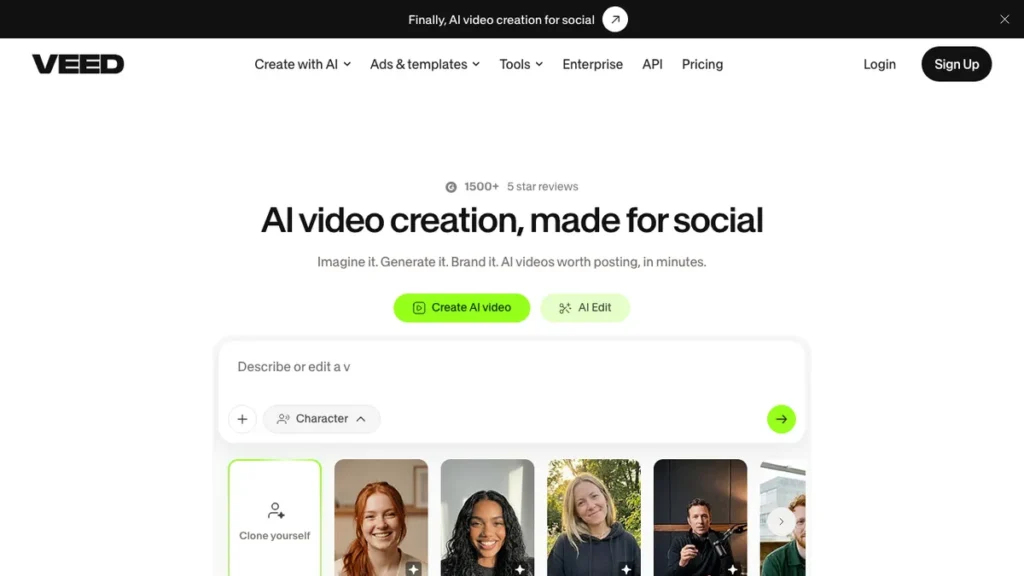
VEED.io includes a Facebook video downloader as part of a broader online editing suite, so a saved clip can go straight into trimming, captioning, or resizing without exporting to another app. Standout feature: its auto-captioning uses AI to generate accurate subtitles on downloaded footage in seconds.
Pricing: Free tier for basic downloads and edits. Paid plans start around $18 per month.
Best for: Anyone who wants to repurpose downloaded video, not just save it.
Why I recommend it: Skipping the export-and-reimport step between downloading and editing saves real time on repost workflows. Limitation: the free tier adds a watermark to exported edits.
Picking Based on What You’re Actually Downloading
A single Reel from a friend’s post and a batch of videos from an old community group call for different tools. Simple public posts work fine with FBDown.net or SnapSave, while older or harder-to-parse content is where FDown.net tends to succeed where newer tools fail. Content built around voice or spoken audio, like Facebook Live recordings, benefits from the kind of processing covered in the Speel.co review, worth checking if audio quality matters more than the video itself.
- Check whether the video is public or in a private group before assuming any downloader will work.
- Compare resolution options when the tool offers them, since default downloads aren’t always the highest available quality.
- Use a multi-platform tool like FastDL.app if you’re regularly downloading from more than just Facebook.
- Respect the original poster’s rights before reposting or reusing anything you download.
Quick Recap
For most everyday downloads, FBDown.net or SnapSave will get the job done with the least friction. If you’re planning to edit what you save, VEED.io skips a step by combining download and editing in one place. Pick based on whether saving or repurposing the video is your actual goal.
Frequently Asked Questions
What is the best free Facebook video downloader?
FBDown.net and SnapSave are both free, require no login, and handle standard public posts and Reels reliably. Between the two, FBDown.net offers clearer resolution options for anyone who wants to choose file quality.
Can I download videos from private Facebook groups?
Generally only if you’re a confirmed member of the group and can access the direct video link while logged in. Most downloader tools rely on public link access, so private or restricted content often won’t work.
Do Facebook video downloaders work for Reels?
Yes, most of the tools on this list, including FBDown.net, GetFVid, and SnapSave, handle Reels the same way they handle standard video posts. Reel-specific issues are rare compared to older or archived content.
Is it legal to download videos from Facebook?
Downloading for personal use exists in a legal gray area and varies by region, while Facebook’s terms of service technically restrict downloading outside its own tools. Always get permission before reposting someone else’s content publicly or commercially.
Which Facebook video downloader should I try first?
Start with FBDown.net for the simplest, fastest path from link to file. If you already know you’ll be editing what you download, VEED.io is worth trying first instead so you skip an extra step later.