
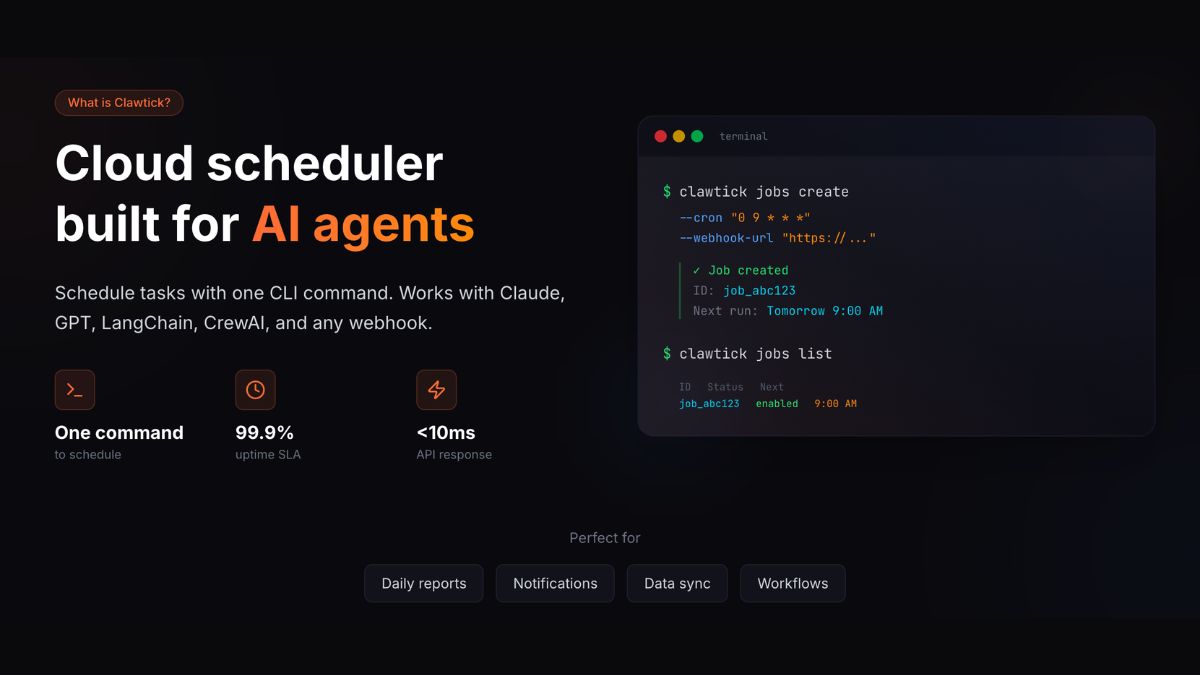
Setting up scheduled tasks for AI agents usually means wrestling with servers, cron syntax, and infrastructure headaches. ClawTick ClawTick eliminates this complexity by letting you schedule AI agent tasks with a single command. No server management, no cron configuration, and no DevOps knowledge required.
What Is ClawTick?
ClawTick is a cloud-based scheduling service designed specifically for AI agents and automated workflows. It removes the traditional barriers of cron job management by providing a simple command-line interface that connects directly to their managed infrastructure. The platform handles all the backend complexity while you focus on building and deploying your AI automation tasks.
Who Is ClawTick Best For?
- Content creators: Schedule AI-powered social media posts, blog content generation, and audience engagement tasks without managing servers.
- Digital marketers: Automate SEO monitoring, competitor analysis, and campaign performance tracking with scheduled AI agents.
- Agency owners: Deploy client automation workflows quickly without investing in infrastructure or hiring DevOps specialists.
- Individuals: Run personal AI assistants, data collection scripts, and productivity automations on a reliable schedule.
Key Features
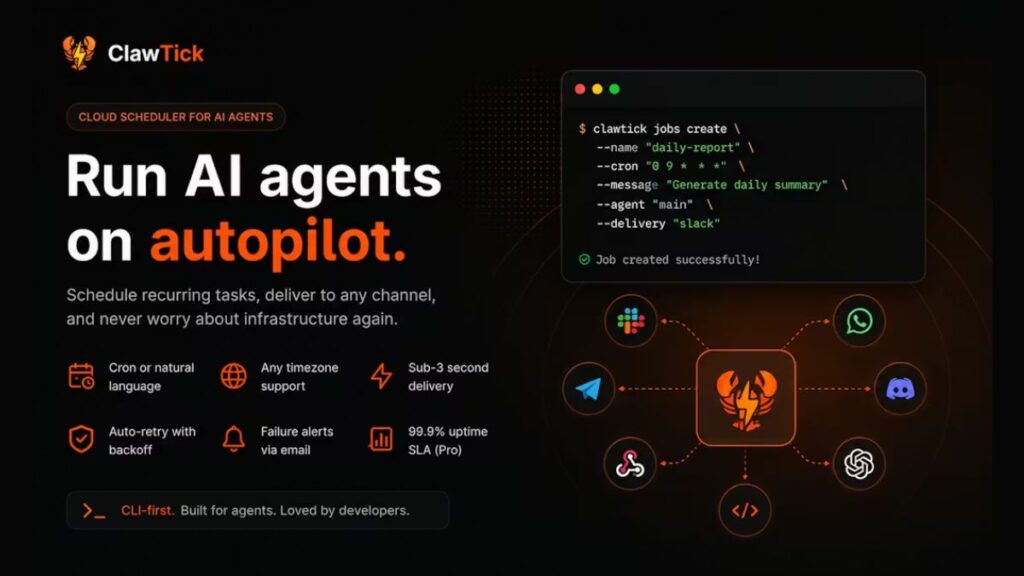
- One-Command Deployment: Schedule any AI agent or script with a single terminal command.
- Zero Infrastructure Setup: No servers, containers, or cron configuration required on your end.
- AI Agent Optimization: Built specifically for AI workflows with proper resource allocation and timeout handling.
- Flexible Scheduling: Support for complex cron expressions, interval-based schedules, and one-time executions.
- Real-Time Monitoring: Live logs, execution history, and performance metrics for all scheduled tasks.
- Multi-Language Support: Works with Python, Node.js, and other popular AI development environments.
- Environment Management: Secure handling of API keys, secrets, and environment variables.
- Failure Recovery: Automatic retry logic and error notifications when tasks fail.
How It Works
- Install the ClawTick CLI tool on your local development machine.
- Configure your AI agent or automation script with the required dependencies.
- Set your schedule using standard cron syntax or interval notation.
- Deploy with a single command that uploads your code to ClawTick’s infrastructure.
- Monitor execution through the web dashboard or CLI status commands.
Pricing
- Starter: Check the official website for current pricing and execution limits.
- Professional: Higher execution quotas and advanced monitoring features – see official pricing.
- Enterprise: Custom limits, priority support, and dedicated infrastructure options available.
- Free Tier: Limited monthly executions available for testing and small projects.
What I Liked
- The single-command deployment genuinely works as advertised – no complex setup required.
- Execution logs are detailed and help debug issues quickly when AI agents fail.
- Environment variable management keeps API keys secure without exposing them in code.
- The platform handles resource scaling automatically based on your AI agent’s needs.
- Documentation is clear and includes practical examples for common AI use cases.
What Needs Improvement
- Limited customization options for execution environments compared to self-hosted solutions.
- Pricing can become expensive for high-frequency AI automation tasks.
- No advanced workflow orchestration features for complex multi-step AI processes.
- Debugging capabilities are basic compared to full development environments.
Real Use Cases
A content marketing agency can use ClawTick to schedule AI-powered competitor analysis that runs every morning and delivers reports to clients. An e-commerce business can automate product description generation and inventory monitoring without maintaining server infrastructure. A social media manager can deploy AI agents that analyze engagement patterns and suggest optimal posting times for multiple client accounts.
ClawTick vs The Alternatives
Traditional cron jobs require server management and technical expertise that many AI developers lack. GitHub Actions offers scheduling but limits execution time and resources for AI workloads. Zapier provides automation but lacks the flexibility needed for custom AI agent deployment. ClawTick bridges this gap by offering cron-like scheduling with cloud infrastructure specifically optimized for AI tasks. The main trade-off is cost versus control – you pay for convenience but give up the customization possible with self-hosted solutions.
My Verdict
ClawTick is perfect for developers who want to schedule AI agents without infrastructure management overhead. It excels at removing technical barriers and letting you focus on AI logic rather than DevOps concerns. The main limitation is cost scaling for high-volume automation tasks. If you need reliable AI scheduling without server headaches, ClawTick delivers exactly what it promises.
Also read: Best Vibe Coding Tools Review | Genspark Ai Review
Frequently Asked Questions
Is ClawTick free?
ClawTick offers a free tier with limited monthly executions for testing purposes. Paid plans are required for production AI automation workloads.
How does ClawTick compare to GitHub Actions?
GitHub Actions has execution time limits and resource constraints that often break AI workflows. ClawTick is built specifically for AI agents with proper resource allocation and longer timeout periods. However, GitHub Actions is free for public repositories while ClawTick charges based on usage.
Is ClawTick good for beginners?
Yes, ClawTick removes most technical barriers to scheduling AI agents. If you can write a Python script, you can deploy it with ClawTick.
What are the main limitations?
The biggest limitations are cost scaling and limited environment customization. You’re also dependent on ClawTick’s infrastructure availability. Complex multi-step AI workflows might need additional orchestration tools.
Does ClawTick have an affiliate program?
Check ClawTick’s official website for current affiliate program details. Many developer-focused SaaS tools offer referral programs.
What is the best alternative?
For cost-conscious users, self-hosted cron jobs on a VPS offer more control. For enterprise workflows, consider AWS Lambda with EventBridge or Azure Functions with Timer triggers. These require more technical setup but provide greater flexibility and potentially lower costs at scale.