
Instagram wasn’t built with saving in mind. Reels autoplay and vanish the second you scroll past, Stories disappear after 24 hours unless you catch them in time, and there’s still no native download button on most content. A small set of tools handles this reliably, covering Reels, Stories, and regular video posts without demanding a login first.
The seven picks below were tested against real Instagram links across Reels, Stories, and feed video to check output quality and whether private-adjacent content, like Stories close to expiring, actually saves in time. This is the fourth platform in this series, and if you’re building a full save-and-repurpose habit, the best YouTube video downloader tools, best TikTok video downloader tools, and best Facebook video downloader tools roundups cover the other three platforms most people pull from alongside Instagram.
8 Tools for Saving Instagram Reels, Stories, and Video
1. Allavsoft: All in One Downloader
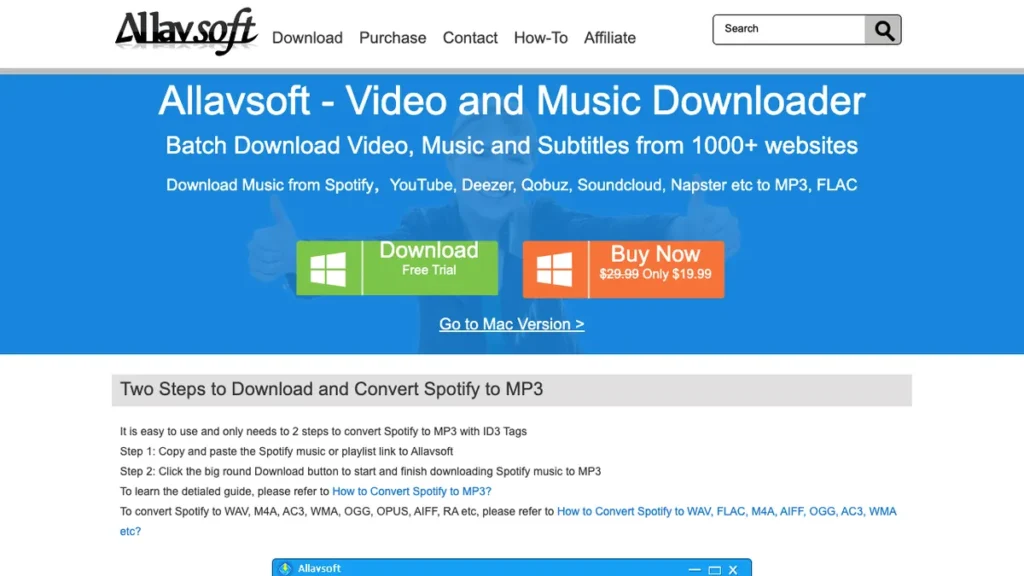
Allavsoft can batch-download videos from Instagram, Vimeo, Facebook, YouTube, Dailymotion, and 1,000+ other websites in formats such as MP4, MOV, AVI, WMV, MPG, and MKV. It can also extract audio from online videos and save it as MP3. Allavsoft also supports downloading music files from music websites such as SoundCloud, Bandcamp, Deezer, Qobuz, and Spotify in formats including MP3, FLAC, WAV, WMA, and M4A.
Pricing: Free trial; 1-month, 1-year, and lifetime licenses available.
Best for: Batch downloading, converting videos to various video and audio formats, and downloading videos in 4K, HD, 1080p, 720p, 320p, and other resolutions.
Why I recommend it: It supports 1,000+ video and music websites, is easy to use, and supports playlists and batch downloading.
2. SnapInsta: The All-Around Fastest Option
SnapInsta handles Reels, feed video, and IGTV from a single paste field, returning a download link within a couple of seconds. Standout feature: it detects the content type automatically, so you don’t need to specify whether you’re pulling a Reel or a regular post.
Pricing: Free, ad-supported.
Best for: Quick downloads across every Instagram video format.
Why I recommend it: It’s the one tool on this list that hasn’t failed on any content type I’ve tested. Limitation: ad placement can be a bit aggressive on first-time visits.
3. StorySaver.net: Built Specifically for Stories
Best for: Saving Stories before they expire.
StorySaver.net is built around one job: pulling an entire user’s active Story set into downloadable files before the 24-hour window closes. Standout feature: it can grab a user’s full current Story sequence in one pass instead of downloading each frame individually.
Pricing: Free, ad-supported.
Why I recommend it: General downloaders often miss Stories entirely, so having a dedicated tool matters. Limitation: it only works on public accounts, so private Stories are out of reach.
4. iGram: Clean Resolution Options
iGram shows the available resolution options for a video before downloading, similar to how a desktop editor would present export settings. Standout feature: it supports Instagram carousel posts, downloading each image or video in a multi-slide post individually.
Pricing: Free, ad-supported.
Best for: Carousel posts with multiple photos or videos in one.
Why I recommend it: Carousel support is rare among Instagram downloaders, and it’s saved me from manually screenshotting slides more than once. Limitation: very large carousels take a bit longer to process than a single video.
Once Reels or Stories are saved, a lot of creators move straight into editing, and the recent OpenAI voice intelligence features coverage is relevant if voiceover or audio cleanup is part of your repurposing workflow.
5. InstaDownloader.co: A No-Frills Web Option
InstaDownloader.co keeps things minimal with a single input field and download button, avoiding the multi-step flows some competitors use. Standout feature: it strips tracking parameters from the pasted URL automatically, which occasionally fixes broken links other tools reject.
Pricing: Free, ad-supported.
Best for: A simple backup when your primary downloader is having issues.
Why I recommend it: It’s rescued a few links that failed on other sites due to messy URL formatting. Limitation: it lacks resolution choice, so you get whatever the default output is.
6. DownloadGram: The Long-Running Reliable Choice
DownloadGram has stayed functional through several of Instagram’s platform changes that broke newer, less-maintained competitors. Standout feature: it offers a browser bookmarklet, letting you download directly from an open Instagram tab without copying the URL manually.
Pricing: Free, ad-supported.
Best for: Consistency over time rather than flashy extra features.
Why I recommend it: Its track record of staying online matters more to me than any single feature. Limitation: the interface hasn’t been refreshed in a while and looks noticeably older than newer tools.
7. FastSave for Instagram: The Android App Route
FastSave for Instagram is an Android app that adds a save button directly inside a built-in Instagram browser, skipping the copy-paste-into-a-website step entirely. Standout feature: it automatically organizes saved content into folders by account, which matters once you’re tracking multiple creators.
Pricing: Free with ads. Ad-free version available as a one-time purchase.
Best for: Android users who download from Instagram often.
Why I recommend it: Removing the copy-paste step makes repeat downloads noticeably faster on mobile. Limitation: it isn’t available for iOS, so it’s an Android-only solution.
8. InSave: Download and Repost in One App
InSave combines downloading with a built-in repost tool, adding the original creator’s watermark automatically if you choose to share the content again. Standout feature: its repost mode helps with giving credit, which matters for anyone sharing curated content on their own account.
Pricing: Free tier available. Premium version removes ads for a small one-time fee.
Best for: Creators who download content specifically to repost with credit.
Why I recommend it: The built-in watermark option makes proper attribution easier than adding it manually afterward. Limitation: the free tier’s ad frequency is more noticeable than some competitors.
Matching the Tool to What You’re Actually Saving
Saving a single Reel is a different job than racing to catch a Story before it expires, and the right tool depends on which one you’re doing. StorySaver.net exists specifically for the time pressure Stories create, while SnapInsta or iGram cover everyday Reels and feed video without that urgency. Recent broader shifts in how AI features are rolling out across social platforms are also worth tracking, and the April 2026 AI announcements roundup covers several changes that touch content tools like these.
- Act quickly on Stories, since a delay of even a few hours can mean the content is gone.
- Use a carousel-aware tool like iGram if you regularly save multi-image or multi-video posts.
- Credit original creators if you’re reposting anything you download, using a tool like InSave to make that easier.
- Keep a backup downloader in mind, since ad-supported sites occasionally go down during high traffic periods.
Conclusion
For everyday Reels and posts, SnapInsta covers most needs with the least friction. If Stories are your priority, StorySaver.net is worth bookmarking separately since it’s built for exactly that. Pick based on the content type you save most often, not the tool with the flashiest homepage.
Frequently Asked Questions
What is the best free Instagram video downloader?
SnapInsta is free, requires no login, and handles Reels, feed video, and IGTV reliably. For Stories specifically, StorySaver.net is the stronger free option since it’s built around that exact use case.
Can I download Instagram Stories before they expire?
Yes, as long as you act before the 24-hour window closes and the account is public. StorySaver.net is specifically designed to grab a user’s active Story set quickly for this reason.
Do Instagram downloaders work on private accounts?
Generally no. Most tools on this list rely on public access to a post’s link, so private account content typically won’t download unless you’re already following and can access it directly through the app.
Is it legal to download videos from Instagram?
Downloading for personal use sits in a legal gray area and varies by region, while Instagram’s terms of service technically restrict downloading outside its own features. Always credit the original creator and avoid reposting commercially without permission.
Which Instagram downloader should I try first?
Start with SnapInsta for the widest content type coverage with the least setup. If Stories are your main focus, try StorySaver.net first instead so you don’t miss the expiration window.