
Stop paying developers $15,000 for an MVP. Build it yourself in 24 hours. No code experience needed.
Vibe coding tools changed everything. Prompt → App. That simple.
But which tool actually works? I tested 15 platforms. Built real products. Lost money on some. Made money on others.
Here’s the definitive tier list. What to use. What to avoid. Whether you’re technical or not.
What Is Vibe Coding?
Before we rank tools, let’s define this.
Vibe coding: Describe what you want → AI builds it → You iterate → Ship product.
Not traditional coding:
- No syntax learning
- No debugging (mostly)
- No frameworks (AI handles it)
- No deployment complexity (usually)
The promise: Anyone can build software. Ideas matter more than technical skills.
Sam Altman said: “This is the era of the idea guy.”
He’s right. 2026 is the year non-technical founders win.

The Complete Tier List
Here’s how they rank:
S Tier (Best of the Best)
1. MGX Dev 🏆
The ultimate vibe coding platform for 2026.
Why it’s #1:
Multi-Model Intelligence:
- Queries GPT-4, Claude Sonnet 4, Gemini simultaneously
- Picks best output automatically
- No LLM ping-pong needed
Full-Stack Power:
- Frontend generation (React, Next.js)
- Backend automation (integrated)
- Database setup (automatic)
- API connections (seamless)
- Deploy with one click
Smart Features:
- Context-aware suggestions
- Error detection before you run
- Security checks built-in
- Performance optimization automatic
- SEO optimization included
Perfect for:
- Serious builders
- Startup founders
- Agency owners
- Technical and non-technical users
Pricing: ~$30/month
Real results: Users building production apps in 3-4 hours. Raised funding with MGX Dev prototypes. Actual revenue-generating products.
Why above others: Most complete solution. Doesn’t sacrifice power for simplicity. Handles complexity you didn’t know you needed.

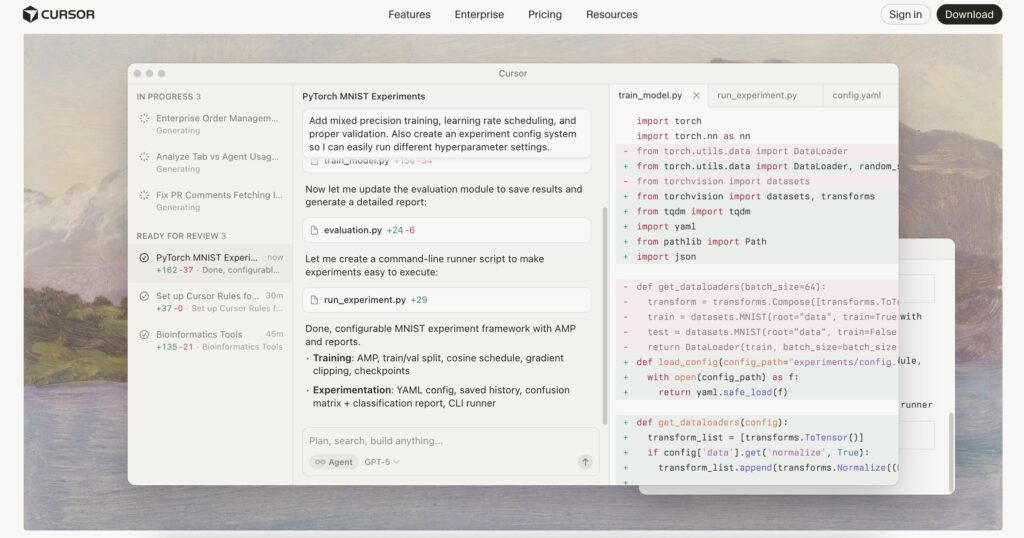
2. Cursor
The developer’s choice.
Why S Tier:
Pros:
- Best coding assistant period
- Massive community (tutorials everywhere)
- Works with any codebase
- Integrated with VS Code
- Supports all languages
- AI that actually understands context
Cons:
- Requires technical knowledge
- Steep learning curve for beginners
- Need to understand: Git, NPM, terminal basics
- Not true “vibe coding” for non-technical
Technical spectrum: Very high
Who should use:
- Developers who want AI boost
- Technical founders
- Engineers learning new languages
- Experienced coders
Model: Claude Sonnet 4.5 (best coding model)
Pricing: $20/month
Community advantage: Like React vs other frameworks. Community = tutorials, solutions, packages, support.
Real talk: If you can code even a little, this is your tool. If you’re completely non-technical, start elsewhere.
A Tier (Excellent Choice)
3. VZero (by Vercel)
Best for non-technical vibe coders.
Why A Tier:
Pros:
- True vibe coding (describe → build)
- Vercel marketplace integration
- Choose your backend (Supabase, Convex, Firebase, etc.)
- Component library
- Templates for common patterns
- Clean, polished outputs
- Direct Vercel deployment
Cons:
- Focused on frontend primarily
- Vercel ecosystem lock-in (not necessarily bad)
Technical spectrum: Low (non-technical friendly)
Real test: Built wedding RSVP site. Other tools failed. VZero shipped.
Why it beats competitors:
- Flexibility (choose backend)
- Integration depth (Vercel platform)
- Future-proof (Vercel backing)
- Template quality
Perfect for:
- First-time builders
- Non-technical founders
- Quick prototypes
- Landing pages
- SaaS MVPs
Pricing: ~$20/month

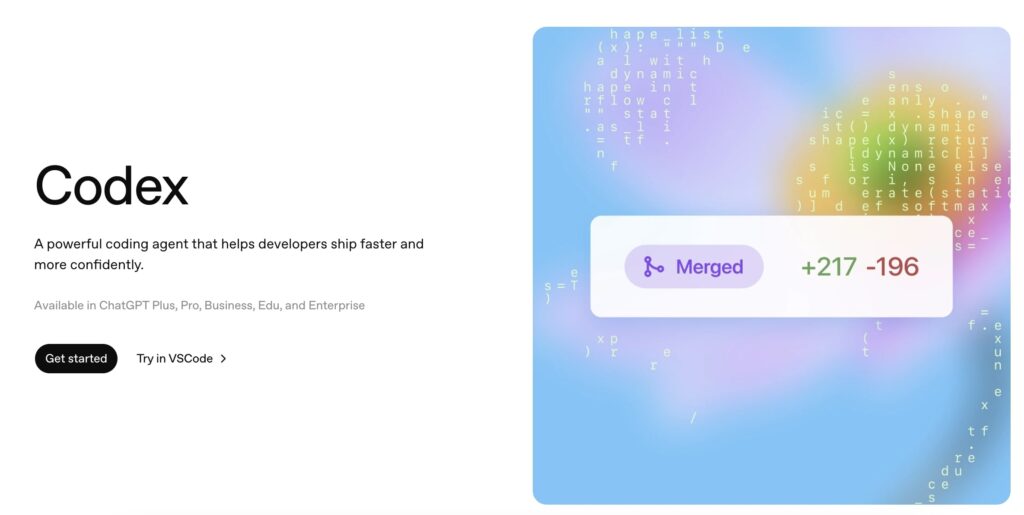
4. Codex (GPT-5)
Most improved award winner.
Why A Tier:
History:
- Sucked 6 months ago
- Now competing with Claude
- Rapid improvement curve
Pros:
- OpenAI backing ($billions in resources)
- Web-based option (accessible)
- Growing tutorial library
- Both technical and non-technical modes
- Integration with ChatGPT ecosystem
Cons:
- Still slightly behind Cursor for pure coding
- Learning curve exists
- Not as polished as specialized tools
Technical spectrum: Medium
Don’t bet against: Sam Altman has infinite resources. This will only get better.
Use case: You want cutting-edge AI. Willing to deal with occasional rough edges. Believe in OpenAI’s vision.
Pricing: $20/month (ChatGPT Plus)
5. Replit
The dark horse.
Why A Tier:
Unique features:
- Agent Mode: Prompt → AI builds for 15-20 minutes → Complete app
- Vibe Mode: Quick iterations
- Full IDE in browser
- Instant deployment
- Collaborative coding
Pros:
- Complete environment (nothing to install)
- Both modes (agent for complex, vibe for quick)
- Strong backing (raised tons)
- All-in-one solution
Cons:
- Less well-known
- Smaller community
- Learning resources scattered
Technical spectrum: Medium
Who uses it: Not many people talk about it. But those who do? Love it.
Best for:
- Python projects
- Quick scripts
- Learning to code
- Team collaboration
Pricing: ~$20/month
B Tier (Solid Choice)
6. Lovable
The VC darling.
Why B Tier:
The hype:
- Raised at $6 billion valuation
- Massive buzz in 2024
- Promised everything
Reality:
- Solid product
- Good for prototypes
- Backend limitations (locked to Supabase)
- Integration challenges
Pros:
- Easy to start
- Clean interface
- Fast iterations
- Good for demos
Cons:
- Backend lock-in
- Scaling challenges
- Less flexibility
- Expensive for what you get
Technical spectrum: Low
Real talk: Great for getting started. Outgrow it quickly if serious.
Best for:
- First prototype
- Investor demos
- Testing ideas
- Learning vibe coding
Pricing: ~$30/month
7. Bolt (by StackBlitz)
Lovable’s twin.
Why B Tier:
Same tier as Lovable. Similar capabilities.
Pros:
- Fast prototyping
- Clean UI
- Good templates
- Web-based
Cons:
- Integration complexity
- Backend setup painful
- API key management
- Limited customization
Technical spectrum: Low-Medium
Use case: Quick prototypes. Testing concepts. Not production apps.
Pricing: ~$25/month
8. Rourke (Mobile)
Mobile app vibe coding.
Why B Tier:
Focus: Mobile apps (iOS/Android)
Built on: Expo (React Native)
Pros:
- True mobile app generation
- Both platforms (iOS + Android)
- Vibe coding for mobile
- Growing category
Cons:
- New platform (launched months ago)
- Limited track record
- Mobile-specific learning curve
Technical spectrum: Medium
The mobile opportunity:
Cal.ai makes millions monthly. Simple AI app. Mobile-first.
Everyone’s building mobile now. TikTok as search engine. App store discovery. Push notifications.
Best for:
- Consumer apps
- Mobile-first ideas
- Utility apps
- AI-powered mobile tools
Pricing: ~$20/month
9. Vibe Code (by Riley)
Another mobile contender.
Why B Tier:
Positioning: “Lovable for mobile apps”
Pros:
- Built by Riley (respected in community)
- Mobile-specific features
- Expo-based
- Growing quickly
Cons:
- Very new
- Limited documentation
- Small community
Technical spectrum: Low-Medium
Watch this space: Riley ships. Platform will improve fast.
10. Anything
Third mobile option.
Why B Tier:
Another mobile vibe coder.
Limited testing. Seems solid. B tier until proven otherwise.
11. A0 (by Seth)
Fourth mobile option.
Why B Tier:
Built by known builder. Mobile focus. Expo-based. Promising.
Mobile vibe coding consensus:
- All new (2-3 months old)
- All Expo-based (smart choice)
- All improving rapidly
- Hard to differentiate yet
Pick based on:
- Community preference
- Available tutorials
- Founder you trust
C Tier (Proceed with Caution)
12. Claude Code
The fallen king.
Why C Tier (used to be S+):
What happened:
- Used to be best
- Got “nerfed” recently
- Same model (Claude Sonnet 4.5)
- Worse results than Cursor using same model
The issue: It’s not the model. It’s the agent.
Agent = tools that let AI:
- Read files
- Write code
- Edit existing code
- Run commands
- Debug errors
Cursor’s agent > Claude Code’s agent
Still viable: Yes. Just not dominant anymore.
Expect: Tug of war. Claude Code improves. Cursor improves. Back and forth.
Technical spectrum: High
Current recommendation: Use Cursor instead. Same model. Better results.
13. Chef (by Convex)
The showcase project.
Why C Tier:
Purpose: Not built to compete. Built to show Convex backend integration.
Quality: Actually good. 1-2 people built it. Impressive.
Limitations:
- No domain assignment
- Limited features
- Not production-focused
- Proof of concept
What it proved: Many new vibe coding tools now use Convex backend. Mission accomplished.
Technical spectrum: Medium
Should you use it: If learning. If curious about Convex. Not for real projects.
Open source: Fork it. Build your own vibe coder.
Mentioned but not tested: OpenCode (by Dax): Developers praise it. Haven’t tested personally.
D Tier (Avoid for Now)
14. Windsurf
The cautionary tale.
Why D Tier:
Not about tech: Technology is actually good. Team is talented.
The problem: Founder left. Devin acquired. Trust shattered.
As a founder: You’re betting on a team. If founder quits, what does that say?
Investor perspective: Would you invest in company where founder bounced?
User perspective: Will they maintain it? Will features continue? Is this abandonware?
Technical quality: A-B (if judged on merit alone)
Trust factor: F
Business decision: D tier
Recommendation: Don’t start new projects here. Too much uncertainty.
Exception: Already deep in Windsurf? Finish project. Then migrate.
Technical vs Non-Technical Spectrum
Here’s where each tool falls:
Requires High Technical Skill
- Cursor (S Tier)
- Claude Code (C Tier)
- Windsurf (D Tier)
You need:
- Understand Git
- Terminal comfortable
- NPM/package managers
- Debugging skills
- Code reading ability
Medium Technical Skill
- MGX Dev (S Tier) – handles complexity for you
- Codex (A Tier)
- Replit (A Tier)
- Mobile tools (B Tier)
You need:
- Basic concepts
- Willingness to learn
- Problem-solving mindset
- Follow tutorials
Low Technical Skill (True Vibe Coding)
- VZero (A Tier)
- Lovable (B Tier)
- Bolt (B Tier)
You need:
- Clear idea
- Good prompting
- Patience
- Design sense
Advice for Non-Technical Builders
From someone who’s seen it all:
1. Mindset Shift Required
Reality check:
You will not build production software in 5 prompts.
Stop the audacity.
Software is hard. Even with AI. Even with vibe coding.
You need:
- Planning
- Testing
- Iteration
- Alpha version
- Beta version
- Final version
- Bug fixes
- Updates
Software is art. Respect the process.
2. Embrace the Struggle
First version breaks? Normal.
Second version has bugs? Expected.
Third version closer? Progress.
Welcome to software development.
Developers deal with this daily. AI tools help. Don’t eliminate difficulty.
3. Use Planning Tools
Before coding:
Brainstorm with ChatGPT:
- Flesh out idea
- Plan features
- Define user flow
- Create wireframes
Cursor’s Plan Mode: Creates roadmap before building. Saves time. Prevents errors.
Document everything: Requirements. Features. Decisions. Changes.
4. Learn from Mistakes
Each error = experience
Track what works:
- Prompts that succeed
- Patterns that repeat
- Solutions that scale
Build knowledge base.
5. Start Small
Don’t build:
- Complete SaaS platform
- Social network
- Marketplace
- Complex AI app
Start with:
- Landing page
- Simple tool
- Single feature
- MVP (truly minimal)
Scale after success.
6. Join Communities
Where to learn:
- Twitter/X (follow founders)
- YouTube (tutorials everywhere)
- Discord servers (ask questions)
- Reddit communities (r/nocode, r/SideProject)
Steal workflows.
7. Follow Founders
Critical advice:
Follow founders of these tools:
- VZero: Guillermo Rauch
- Cursor: Aman Sanger, Michael Truell
- Codex/OpenAI: Sam Altman
- Lovable: Anton
- Bolt: Eric Simons
- Replit: Amjad Masad
- MGX Dev: [Founder name]
Why?
You’re betting on people.
If you connect with Sam Altman’s vision → Use Codex If you trust Guillermo’s execution → Use VZero If you believe in Amjad → Use Replit
Founder quality matters.
Don’t get Windsurfed.
8. Expect Time Investment
Realistic timelines:
Landing page: 2-4 hours Simple web app: 1-2 days CRUD app with auth: 3-5 days Complex SaaS: 2-4 weeks Production-ready: +2-4 weeks testing
Not 5 prompts.
9. Budget for Iterations
Costs:
- Platform subscription: $20-30/month
- API costs: $10-50/month
- Hosting: $10-25/month
- Domain: $15/year
Total: $50-100/month minimum
Plus your time.
10. Celebrate Wins
Built something that works? 🎉
Someone used your app? 🚀
Made first $1? 💰
These are HUGE wins.
Non-technical person building software? That’s incredible.
Advice for Technical Builders
From a developer’s perspective:
1. Cursor or MGX Dev
Period.
If you can code, these are your tools.
Cursor for:
- Maximum control
- Any codebase
- Complex projects
- Team collaboration
MGX Dev for:
- Speed
- Full-stack ease
- Built-in best practices
- Faster to production
2. Use AI as Copilot
You’re still steering.
AI suggests. You decide.
Don’t blindly accept:
- Review AI code
- Understand what it does
- Verify security
- Test edge cases
- Check performance
3. Learn the Agent Layer
Understand what’s happening:
Model (Claude/GPT) ≠ Full tool
Tool = Model + Agent
Agent provides:
- File system access
- Command execution
- Code editing
- Context management
- Error handling
Cursor’s agent > Claude Code’s agent (using same model)
That’s why results differ.
4. Optimize Prompts
Better prompts = better code.
Include:
- Tech stack preferences
- Code style guidelines
- Error handling approach
- Security requirements
- Performance needs
Create prompt library.
5. Version Control Always
Use Git.
AI makes mistakes. You need rollback.
Commit frequently:
- After each feature
- Before major changes
- When switching approaches
6. Test AI Output
Never deploy untested.
Check:
- Security vulnerabilities
- SQL injection risks
- XSS attacks
- Authentication flows
- Data validation
- API rate limits
AI doesn’t think about security.
7. Understand the Code
Don’t become dependent.
What if:
- Platform shuts down
- You need custom feature
- Bug occurs in production
- You need to scale
Read AI-generated code. Learn from it.
8. Use Right Tool for Job
Complex architecture? Cursor
Quick prototype? VZero
Mobile app? Rourke/Vibe Code
Learning? Replit
Mix and match.
9. Stay Updated
Models improve weekly.
Follow:
- Release notes
- Version updates
- Community discussions
- Benchmark comparisons
Switch when better option emerges.
10. Contribute Back
Found workflow? Share it.
Solved problem? Write tutorial.
Built something cool? Show process.
Community benefits everyone.
The Mobile App Revolution
Why everyone’s building mobile now:
1. Cal.ai Proof Point
Making millions monthly.
Simple app:
- AI voice interface
- Personal assistant
- Nothing revolutionary technically
But mobile-first.
2. TikTok as Search Engine
People search TikTok.
They see app ads:
- Download immediately
- No browser needed
- Notifications work
- Engagement higher
3. App Store Discovery
Featured sections. Search rankings. Category browsing.
Distribution built-in.
4. Monetization Easier
In-app purchases. Subscriptions. Premium features.
People pay more for apps than websites.
5. Vibe Coding Caught Up
Expo changed everything.
One codebase:
- iOS version
- Android version
- Both platforms
AI can now build mobile apps.
Tools emerging:
- Rourke
- Vibe Code
- Anything
- A0
2026 = Year of mobile vibe coding.
Common Mistakes to Avoid
Mistake 1: Jumping Platforms
Problem: Tool doesn’t work first try → Switch immediately
Solution: Give each tool 3-5 real attempts. Learn its strengths.
Mistake 2: Expecting Perfection
Problem: First output should be production-ready
Solution: Treat output as draft. Refine. Iterate.
Mistake 3: Ignoring Planning
Problem: Jump straight to coding
Solution: Plan first. Prompt with detail. Save time.
Mistake 4: No Documentation
Problem: Forgot how you built something
Solution: Document prompts, decisions, changes.
Mistake 5: Trusting Blindly
Problem: AI said it, must be right
Solution: Verify. Test. Check security.
Mistake 6: Building Too Big
Problem: Start with complex SaaS
Solution: MVP first. Prove concept. Then scale.
Mistake 7: Forgetting Business
Problem: Build without market research
Solution: Validate idea before building.
Mistake 8: Ignoring Community
Problem: Try to figure everything out alone
Solution: Learn from others. Ask questions. Share struggles.
Mistake 9: Wrong Tool Selection
Problem: Use Cursor as complete beginner
Solution: Match tool to skill level.
Mistake 10: Giving Up Too Soon
Problem: Quit after first failure
Solution: Persist. Every builder faces obstacles.
The Future of Vibe Coding
What’s coming:
1. Better Models
GPT-5 launching soon. Claude 4 improving. Gemini 3 in development.
Each iteration = better code generation.
2. Specialized Tools
Industry-specific platforms:
- Healthcare apps
- E-commerce builders
- SaaS generators
- Mobile game creators
Vertical focus = better results.
3. Voice Interfaces
Talk to build.
No typing. Just describe. AI builds.
Already happening in some tools.
4. Real-Time Collaboration
Multiple people vibe coding together.
Like Google Docs for building apps.
5. Deployment Integration
One-click:
- Build app
- Deploy to cloud
- Connect domain
- Live in minutes
Vercel already doing this.
6. Monetization Built-In
Tools will integrate:
- Payment processing
- Subscription management
- Analytics
- Marketing tools
Complete business platform.
7. AI QA Testing
Automated:
- Bug detection
- Security scanning
- Performance testing
- User flow validation
Before you deploy.
8. No-Code + Vibe Code Hybrid
Visual builders meet AI prompting.
Best of both:
- Drag and drop UI
- AI code generation
- Manual control when needed
9. Cross-Platform Everything
One prompt:
- Web app
- iOS app
- Android app
- Desktop app
- Browser extension
True “write once, deploy everywhere.”
10. Personalized AI Assistants
AI learns your:
- Coding style
- Preferences
- Common patterns
- Business goals
Custom assistant for you.
Real Success Stories
Story 1: Wedding RSVP Site
Builder: Developer testing tools Tool: VZero Time: 4 hours Cost: $0 (trial period)
Outcome: Perfect working site. Other tools failed.
Lesson: Simple projects = perfect testing ground.
Story 2: Mobile Utility App
Builder: Non-technical founder Tool: Rourke Time: 2 weeks Cost: $20 tool + $50 API
Outcome: 1,000 downloads first month. $99 MRR.
Lesson: Start small. Solve real problem.
Story 3: SaaS MVP
Builder: Technical founder Tool: Cursor Time: 3 weeks
Cost: $20/month
Outcome: Raised $100K pre-seed on prototype.
Lesson: Vibe coding legitimate for fundraising.
Story 4: Content Tool
Builder: Agency owner Tool: MGX Dev Time: 1 week Cost: $30/month
Outcome: Internal tool saving 20 hours/week.
Lesson: Productivity tools = massive ROI.
My Recommendations
For Complete Beginners
Start: VZero Budget: $20/month Timeline: 1-2 weeks to first project
For Semi-Technical
Start: MGX Dev or Codex Budget: $30-40/month Timeline: 3-5 days to first project
For Developers
Start: Cursor Budget: $20/month Timeline: Same day to productivity
For Mobile Focus
Start: Rourke or Vibe Code Budget: $20/month Timeline: 1 week to first app
For Agency/Teams
Start: MGX Dev or Cursor Budget: $30-50/month per person Timeline: 2-3 days onboarding
Score Card
MGX Dev: 10/10 (Complete solution)
Cursor: 9.5/10 (Best for developers)
VZero: 9/10 (Best for beginners)
Codex: 8.5/10 (Most improved, huge potential)
Replit: 8.5/10 (Underrated dark horse)
Lovable: 7.5/10 (Good not great)
Bolt: 7.5/10 (Same as Lovable)
Mobile Tools: 7/10 (Promising but new)
Claude Code: 7/10 (Fallen from grace)
Chef: 6/10 (Proof of concept)
Windsurf: 5/10 (Tech good, trust broken)
Final Verdict
2026 is the year non-technical founders can actually build.
The tools exist. The technology works. The community supports.
What’s needed:
- Right mindset
- Patience
- Persistence
- Willingness to learn
Pick your tool based on:
- Your skill level
- Your project type
- Founder you trust
- Community size
- Budget
My top picks:
- Overall winner: MGX Dev (most complete)
- For developers: Cursor (most powerful)
- For beginners: VZero (easiest to start)
- For mobile: Rourke (best so far)
- For betting future: Codex (OpenAI backing)
Don’t overthink it.
Pick one. Build something. Ship it.
The era of the idea guy is here.
Are you ready?